

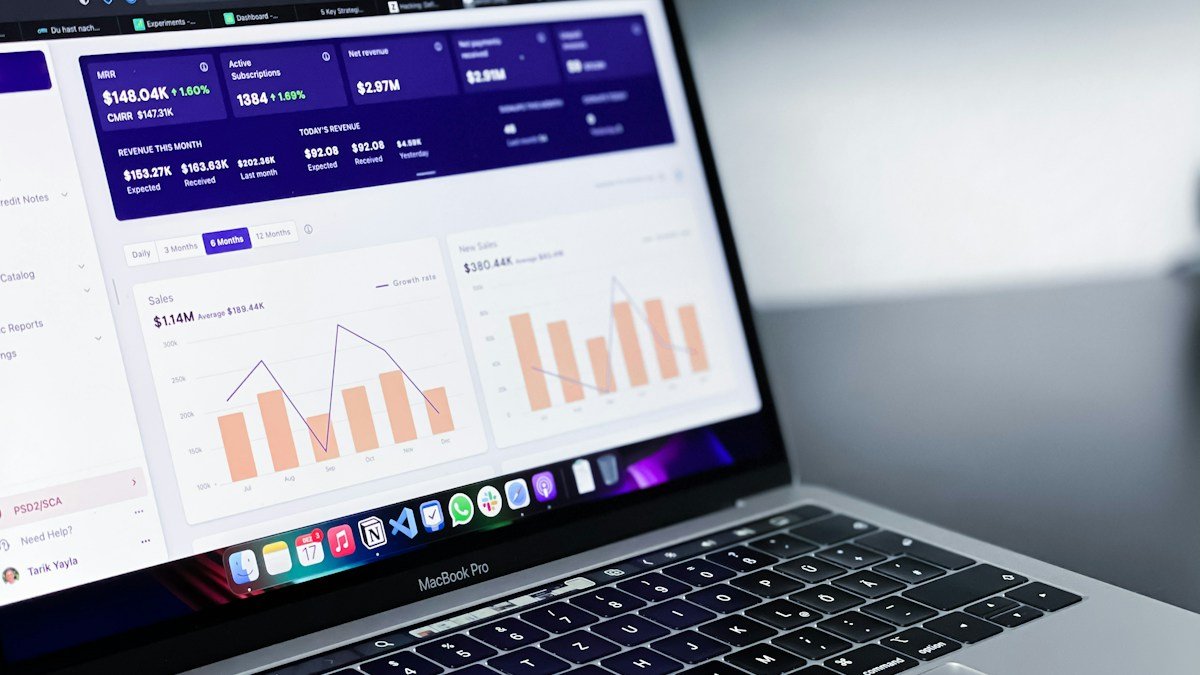
Business intelligence for small businesses does not require a large data team or an expensive software programme. It begins by organising a few reliable numbers so owners can see what is happening, understand why it matters and decide what to do next.
A useful dashboard is not a screen filled with charts. It is a decision tool. Every metric should connect to a question the business regularly needs to answer.
What Business Intelligence Means
Business intelligence is the process of collecting, organising, analysing and presenting data to support decisions. The data may come from sales, accounting, website analytics, advertising, customer service, inventory or operations.
For a small business, the goal is usually not advanced prediction. It is consistent visibility: which products generate margin, where leads come from, which invoices are overdue and where performance is changing.
Start With Decisions, Not Software
Write down five recurring decisions. Examples include:
- Which marketing channel deserves more budget?
- Which services produce the strongest contribution margin?
- Which leads need follow-up today?
- Is cash collection improving?
- Which customer complaints require a process change?
Then identify the minimum information required for each decision. This prevents the business from collecting data merely because a platform makes it available.
Choose a Small Set of KPIs
A key performance indicator should show progress toward a meaningful objective. Begin with six to ten measures, not dozens.
Marketing
- Qualified leads by source
- Cost per qualified lead
- Landing-page conversion rate
- Email subscriber-to-enquiry rate
Sales
- Opportunity conversion rate
- Average sale value
- Sales-cycle length
- Overdue follow-ups
Finance and Operations
- Gross or contribution margin
- Cash collected
- Overdue invoices
- Order or project completion time
Define every KPI in writing. If employees calculate “conversion rate” differently, the dashboard creates arguments rather than clarity.
Create One Source of Truth
Small-business data often lives in several spreadsheets and platforms. Decide which system owns each type of information. The accounting system may own revenue, the CRM may own opportunity stages, and website analytics may own sessions and conversions.
A dashboard can combine those sources, but it should not silently redefine them. Record the source, owner, refresh schedule and calculation for each metric.
Clean the Data Before Visualising It
Charts cannot repair inconsistent records. Standardise dates, categories, campaign names, customer identifiers and currency. Remove obvious duplicates and document how refunds, cancellations and missing values are handled.
Test a small sample against the original systems. If the dashboard says ten sales occurred, confirm that the underlying transactions support the number.
Design a One-Page Dashboard
Use a simple structure:
- Top row: six headline KPIs with current value and change.
- Middle: two or three trend charts showing movement over time.
- Bottom: practical tables such as overdue invoices, stalled opportunities or low-stock items.
Use consistent colours and clear labels. Avoid three-dimensional charts, decorative gauges and too many pie charts. A dashboard should communicate quickly on a laptop or mobile screen.
Add Context to Every Number
A metric without comparison is difficult to interpret. Show the current result beside a previous period, target or forecast. Annotate unusual events such as a campaign launch, price change, closure or system outage.
Do not assume every increase is positive. More leads may create more work without more sales. Faster delivery may reduce quality. Review connected measures together.
Set an Appropriate Refresh Schedule
Real-time data is not automatically better. Daily refresh may be appropriate for online sales or advertising. Weekly may suit service pipelines. Monthly may be enough for profitability and strategic review.
Choose a schedule that matches how quickly the business can act. Constantly refreshing a metric that cannot influence a decision creates distraction.
Assign Ownership and Access
Every dashboard needs an owner responsible for definitions, data quality and updates. Give employees access only to the information required for their role. Financial, customer and employee data may require stronger restrictions.
Review access when roles change and remove former users promptly. The guidance in the small-business cybersecurity checklist can help protect accounts and sensitive records.
Use Tools That Fit the Process
A spreadsheet can be sufficient for a small monthly dashboard. More complex teams may use a reporting platform connected to approved data sources. Choose based on reliability, ease of use, permissions, export options and total maintenance—not the number of visual effects.
Google’s Looker Studio and Microsoft’s Power BI documentation describe common dashboard and reporting capabilities. Product features and pricing change, so evaluate current terms before committing.
Hold a Short Decision Meeting
A dashboard creates value only when it changes action. Use a recurring 20-minute review:
- What changed?
- Is the data trustworthy?
- Why did the change happen?
- What decision follows?
- Who owns the action and deadline?
Record one or two actions. Avoid turning the meeting into a long presentation of every chart.
Common Dashboard Mistakes
- Tracking vanity metrics without business meaning
- Mixing definitions across teams
- Using incomplete or duplicated data
- Showing too many charts
- Giving everyone unrestricted access
- Building automatic reports before the process is stable
- Failing to assign action after review
A 30-Day Implementation Plan
Week 1: List the decisions, choose KPIs and define each measure.
Week 2: Identify sources, clean a small dataset and verify totals.
Week 3: Build a one-page dashboard and test it with the people who will use it.
Week 4: Run the first decision meeting, remove unhelpful metrics and assign ongoing ownership.
Final Thoughts
Business Intelligence for Small Businesses: Frequently Asked Questions
What is business intelligence for small businesses?
Business intelligence for small businesses is the practical use of reliable sales, marketing, financial and operational data to guide decisions. It can begin with a well-managed spreadsheet and does not require a large data team.
Which metrics support business intelligence for small businesses?
The best metrics for business intelligence for small businesses depend on the decisions being made. Useful starting points include qualified leads, conversion rate, contribution margin, cash collected and overdue actions.
How often should business intelligence for small businesses be reviewed?
Review business intelligence for small businesses at the speed the company can act. Operational measures may need a daily or weekly review, while profitability and strategic trends may be monthly.
Final Thoughts
Business intelligence for small businesses should make decisions simpler, not create another system to maintain. Begin with important questions, trustworthy data and a small dashboard. When each metric has a definition, owner and action, even a modest reporting system can improve focus and accountability.